Free SERP Simulator & Preview Tool
See exactly how your page will appear in Google search results before you publish. Enter your URL to auto-fill your title and description, then preview with real-time pixel width feedback. No signup required.
Enter a URL to auto-fill title and description
The name shown above your URL
Keywords to highlight in the preview
Options
Preview
Your Page Title Goes Here
Your meta description will appear here. It should summarize the page content and include your target keywords.
Why Use This Tool
What looks perfect in your CMS often gets truncated in search results. Google uses pixel width, not character count, to decide where to cut your title and description. Our SERP simulator measures actual pixels so you can optimize before publishing.
- Auto-fetch your existing title and description from any URL
- See pixel width measurements, not just character counts
- Preview desktop and mobile results side by side
- Add rich elements like dates and star ratings
- See how AI Overviews affect your snippet visibility
- Copy ready-to-use HTML tags directly to your site
Need help writing descriptions?
Our AI Meta Description Generator creates optimized descriptions based on your actual content.
Generate descriptionsWhat is a SERP?
SERP stands for Search Engine Results Page, the page you see after typing a query into Google, Bing, or any search engine. Each result on this page is called a "snippet" and typically includes three elements: a clickable title (in blue), a URL or breadcrumb path (in gray), and a description (in dark gray).
These snippets are your page's first impression. Before anyone clicks through to read your content, they judge whether your page is worth visiting based entirely on these few lines of text.
Why Pixel Width Matters More Than Character Count
Most SEO advice tells you to keep titles under 60 characters and descriptions under 155. But Google does not count characters. It measures pixel width.
The display area for titles is approximately 600 pixels on desktop. A title with many wide letters (like "W" and "M") truncates sooner than one with narrow letters (like "i" and "l"). The title "SWIMMING WORKOUTS" takes far more pixels than "little tips" despite having fewer characters.
How to Use This Tool
- Enter your URL and click "Fetch data" to auto-fill your current title and description
- Edit the fields and watch the pixel width update in real-time
- Toggle options like Date or Rating to see rich snippet variations
- Switch between Desktop and Mobile to check both versions
- Copy HTML when you are happy with the result
Best Practices
Title
- • Front-load important keywords
- • Stay under 600 pixels (~60 characters)
- • Include your brand name at the end
- • Use numbers when relevant
Description
- • Stay under 960 pixels (~155 characters)
- • Include your target keyword naturally
- • Add a call-to-action
- • Summarize the unique value
Frequently asked questions
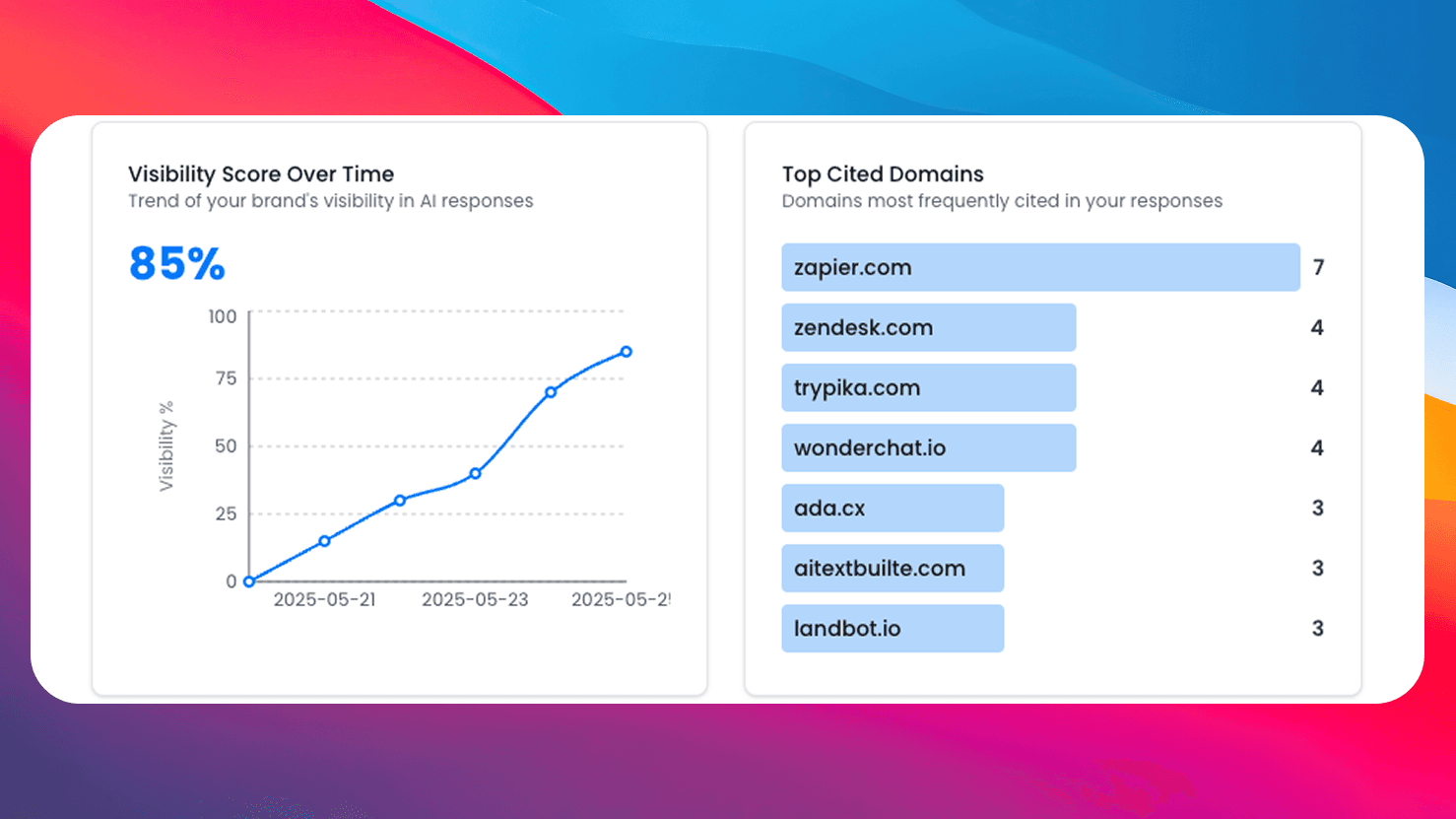
Need More Than Free Tools?
Get comprehensive AI monitoring, analytics, and insights with SEO Forge. Track how AI models mention your brand across the web.
Try SEO ForgePixel-Accurate Preview
See actual pixel widths, not just character counts, for accurate truncation predictions.
Desktop & Mobile
Preview how your snippet appears on both desktop and mobile search results.
Rich Snippets
Toggle dates, star ratings, and AI Overview to see different SERP layouts.
100% Free
No signup, no limits. Preview as many snippets as you need.